⚡ Year End Special Deals on Xeno Digital Locks | Limited Stocks – Shop Now! | 🔒 Save $50 on Xeno X Gate Lock – Code X50 |
🚪 Save $15 on Door Bottom Seal – Code SEAL15 |
🛡️ Save $50 on Alexi Pro Lock – Code PRO50| FREE Installation + Delivery Included in Every Xeno Year End Super Deal |
⚡ JULY LAUNDRY DEALS LIVE — Save $50 on Essential– Code XENO50 | Save $100 on Platinum– Code XENO100

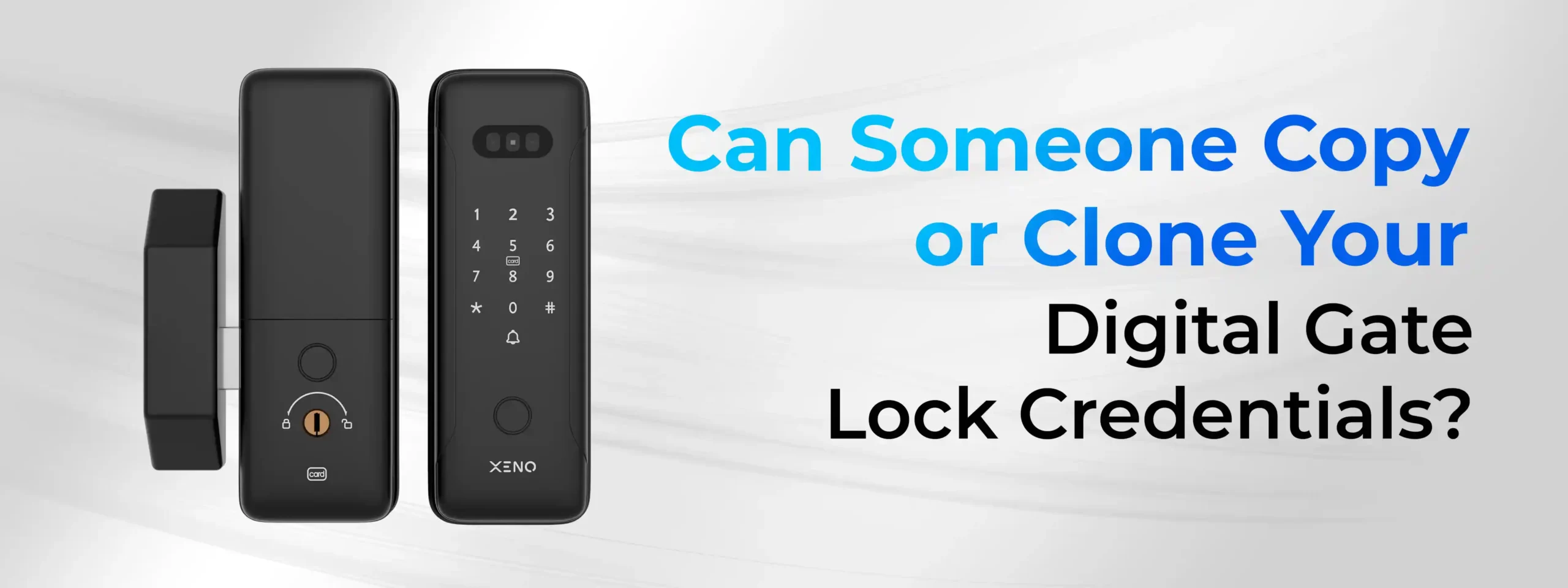
Can Someone Copy or Clone Your Digital Gate Lock Credentials?

Yes—but it depends on the type of credential being used.
Older RFID cards may be vulnerable to cloning using specialised equipment, while weak PIN codes can be guessed or stolen. However, modern digital gate locks use multiple layers of security, including encrypted credential storage, biometric authentication, secure communication protocols, and temporary access controls, making credential cloning significantly more difficult.
For biometric methods such as fingerprint, face recognition, and palm vein recognition, modern digital gate locks do not simply store photos or images. Instead, they store encrypted biometric templates or mathematical representations that help verify identity while protecting sensitive data.
For most Singapore homeowners, the biggest security risks are poor password management, lost RFID cards, outdated lock technology, or failing to remove old user credentials, rather than sophisticated credential cloning attacks.
Key Takeaway: Choosing a modern digital gate lock with multiple authentication methods and tips and following good security practices offers stronger protection than relying on a single access method.
At a Glance: Can Different Digital Gate Lock Credentials Be Copied?
| Credential | Can It Be Copied or Cloned? | Risk Level | How Modern Locks Help Protect It |
| RFID Card | Older RFID technologies may be more susceptible than newer implementations. | Medium | Encrypted authentication and secure credential management help reduce cloning risks. |
| Fingerprint | Extremely difficult to reproduce in a practical real-world scenario. | Low | Encrypted fingerprint templates and biometric matching. |
| Face Recognition | Printed photos alone are generally insufficient for modern systems with anti-spoofing features. | Low | Liveness detection and facial recognition algorithms. |
| Palm Vein Recognition | Very difficult due to internal vein pattern verification. | Very Low | Infrared imaging and biometric template matching. |
| PIN Code | Cannot be cloned but may be guessed, observed, or shared. | Medium | Strong PIN policies and temporary PIN features. |
| Mobile App | Depends on account security and device protection. | Low | Secure authentication, encrypted communication, and account verification. |
Why Are Homeowners Asking This Question?
As digital gate locks become more common across Singapore, many homeowners are replacing traditional keys with fingerprints, RFID cards, facial recognition, palm vein recognition, PIN codes, and smartphone access.
At the same time, headlines about RFID cloning, identity theft, and cybercrime have raised understandable concerns.
Questions such as:
- Can someone clone my RFID card?
- Can a fingerprint be copied?
- Can someone unlock my gate using my photo?
- Is palm vein recognition actually secure?
- Can hackers access my digital gate lock?
are becoming increasingly common.
The good news is that many of these concerns are based on outdated technologies or misconceptions. Understanding how different authentication methods work can help you distinguish between realistic risks and common myths.
What Are Digital Gate Lock Credentials?
Digital gate lock credentials are the methods your lock uses to confirm that the person requesting access is authorised to enter your property.
Unlike traditional locks that rely on a physical key, modern digital gate locks support multiple authentication methods, allowing homeowners to choose the option that best suits their lifestyle and security needs.
The most common credential types include:
- Fingerprint recognition
- RFID cards
- Face recognition
- Palm vein recognition
- PIN codes
- Mobile app access
- Temporary guest access
Each method uses a different way of verifying identity, which means the security risks and protections also vary.
Let’s look at each one in more detail.
Can Someone Clone an RFID Card?
Short Answer
Some older RFID cards may be more vulnerable to cloning, but modern encrypted RFID systems are designed to make unauthorised duplication significantly more difficult.
How RFID Cards Work
RFID stands for Radio Frequency Identification. Instead of inserting a key, you simply tap an authorised RFID card against the digital gate lock.
The lock reads the credential stored on the card and determines whether access should be granted.
This makes RFID particularly convenient for:
- Children
- Elderly family members
- Domestic helpers
- Visitors
- Homeowners who prefer quick access
Why People Worry About RFID Cloning
You’ve probably seen videos claiming someone can copy an RFID card in seconds.
While these demonstrations exist, they often involve older RFID technologies or controlled testing environments.
In practice, the likelihood of successful cloning depends on factors such as:
- The RFID technology used
- Whether encryption is implemented
- Authentication protocols
- Credential management practices
Not every RFID card uses the same level of security.
How Modern Digital Gate Locks Improve RFID Security
Many modern digital gate locks include features such as:
- Encrypted credential verification
- Secure credential storage
- Support for updated RFID technologies
- User management through mobile applications
- Ability to remove lost RFID cards immediately
These features help reduce the risk of unauthorised access if an RFID card is lost or compromised.
Can Someone Copy Your Fingerprint?
Short Answer
Modern fingerprint digital gate locks do not store images of your fingerprint. They store encrypted biometric templates, making it much harder to misuse your fingerprint data.
Myth vs Fact
| Myth | Reality |
| The lock stores a photo of my fingerprint. | Modern systems generally store encrypted biometric templates instead of images. |
| Anyone can lift my fingerprint and unlock my gate. | Practical attacks against quality biometric systems are significantly more complex than many online videos suggest. |
| Fingerprints can be copied like passwords. | Fingerprint authentication relies on unique biometric characteristics rather than text-based credentials. |
How Fingerprint Authentication Works
When registering your fingerprint, the lock analyses unique features known as minutiae points, such as:
- Ridge endings
- Ridge bifurcations
- Pattern relationships
- Spatial positioning
Instead of saving an actual fingerprint picture, the system creates a mathematical template used for future comparisons.
When you place your finger on the sensor, the lock compares the newly scanned fingerprint against the stored encrypted template.
If the biometric characteristics match, access is granted.
Why Fingerprints Are Difficult to Clone
Unlike a password, your fingerprint contains thousands of unique characteristics.
Modern biometric systems are designed to analyse these characteristics rather than simply matching a visual image.
Some advanced digital gate locks also incorporate additional biometric verification techniques to help distinguish between genuine fingerprints and attempts to imitate them.
While no security system can claim absolute protection, biometric authentication remains one of the more secure and convenient authentication methods available for residential digital gate locks.
Can Someone Unlock Your Gate Using Your Face?
Short Answer
Not simply by using a printed photo—provided the digital gate lock uses modern face recognition technology with anti-spoofing capabilities.
Face recognition has become increasingly popular because it enables completely hands-free access.
Instead of touching the lock, users simply look at the camera, and the system verifies their identity.
However, many homeowners wonder whether someone could unlock the gate by holding up a photograph or displaying a picture on a mobile phone. The answer depends on the technology used.
Basic Face Recognition vs Advanced Face Recognition
Earlier facial recognition systems primarily analysed facial features from two-dimensional images.
Modern systems are more sophisticated and may incorporate technologies designed to reduce spoofing attempts, such as:
- Depth analysis
- Multiple facial feature 3D mapping
- Infrared assistance
- Anti-spoofing algorithms
- Liveness detection (where supported)
These additional verification methods help distinguish a real person from a flat image.
Is Face Recognition Secure?
For everyday residential use, face recognition offers several advantages:
- Completely hands-free access
- Fast authentication
- No need to carry keys or cards
- Convenient for families
However, homeowners should choose products from reputable manufacturers that continually improve their security technologies through firmware updates and ongoing product development.
Palm Vein Recognition Works
Palm vein authentication uses near-infrared (NIR) light to detect the unique pattern of blood vessels inside your hand.
When you place your palm in front of the sensor:
- The infrared sensor captures your vein pattern.
- The lock converts the pattern into an encrypted biometric template.
- The template is securely stored.
- Future scans are compared with the stored template before unlocking.
Because vein patterns are internal and unique to each person, they are extremely difficult to duplicate.
Why Palm Vein Recognition Is More Difficult to Spoof
Compared with other authentication methods, palm vein recognition offers several advantages:
| Authentication Method | Uses External Features | Uses Internal Features |
| PIN Code | ✓ | ✗ |
| RFID Card | ✓ | ✗ |
| Fingerprint | ✓ | ✗ |
| Face Recognition | ✓ | ✗ |
| Palm Vein Recognition | ✗ | ✓ |
Since the sensor verifies features beneath the skin, simply presenting a photograph or printed image is not sufficient.
For homeowners seeking a convenient hands-free authentication method, palm vein recognition provides an additional layer of security.
Can Someone Guess or Steal Your PIN Code?
Short Answer
PIN codes cannot be cloned, but they can be guessed, observed, or shared if good security practices are not followed.
In many real-world cases, weak PIN management poses a greater risk than sophisticated hacking attempts.
Common PIN Mistakes
Avoid using PINs such as:
- 123456
- 000000
- 888888
- Birthdays
- Phone numbers
- Unit numbers
These combinations are predictable and easier for someone to guess.Best Practices for PIN Security
To improve security:
- Use a unique PIN.
- Avoid reusing PINs from other devices.
- Change your PIN periodically.
- Remove PINs that are no longer needed.
- Use temporary PINs for visitors whenever possible.
Are Mobile App Credentials Safe?
Short Answer
Yes—provided you use the official mobile app, keep it updated, and protect your smartphone with strong authentication.
Modern smart gate locks allow homeowners to unlock their gates remotely, manage users, and monitor access history through a mobile application.
The security of mobile access depends on several factors, including:
- Secure user authentication
- Encrypted communication
- Smartphone security
- Regular software updates
Mobile App Security Tips
To help keep your account secure:
- Download only the official app.
- Enable biometric authentication or a strong device passcode.
- Install firmware and app updates promptly.
- Avoid sharing your login credentials.
- Remove unused devices from your account.
How Do Modern Digital Gate Locks Help Prevent Credential Cloning?
Modern digital gate locks combine multiple security technologies to reduce the risk of unauthorized access.
1. Encrypted Credential Storage
Rather than storing credentials as plain text, modern systems encrypt biometric templates and other authentication data. This helps protect sensitive information if someone attempts to access the device’s stored data.
2. Multi-Factor Authentication Options
Many digital gate locks support multiple authentication methods, such as:
- Fingerprint
- Face recognition
- Palm vein recognition
- RFID
- PIN code
- Mobile app
This flexibility allows homeowners to choose the most suitable method for each family member while maintaining secure access.
3. User Management
Modern locks make it easier to:
- Add new users
- Delete old credentials
- Disable lost RFID cards
- Create temporary guest access
Effective user management helps reduce the risk of forgotten or unauthorized credentials remaining active.
4. Firmware Updates
Manufacturers periodically release firmware updates that may improve:
- Security
- Stability
- Compatibility
- Performance
Keeping your lock updated helps ensure you benefit from the latest improvements.
5. Auto-Lock Function
Auto-lock ensures your gate locks automatically after it closes, reducing the chance of accidental security lapses.
Warning Signs Your Digital Gate Lock May Need an Upgrade
You may want to consider upgrading if your current lock:
- Supports only a basic PIN code.
- Uses older authentication technology.
- Cannot receive firmware updates.
- Doesn’t support temporary user management.
- Frequently malfunctions.
- Is no longer supported by the manufacturer.
- Cannot integrate with your smart home ecosystem.
10 Practical Ways to Protect Your Digital Gate Lock Credentials
Even the most advanced digital gate lock benefits from good security habits.
✔ Use strong, unique PIN codes.
✔ Delete lost RFID cards immediately.
✔ Remove access for former tenants or helpers.
✔ Register only trusted users.
✔ Update firmware regularly.
✔ Protect your smartphone with biometric authentication or a strong passcode.
✔ Use temporary access for visitors instead of sharing permanent credentials.
✔ Regularly review the list of registered users.
✔ Purchase digital locks from reputable brands that provide ongoing support.
✔ Follow the manufacturer’s maintenance recommendations to keep the lock operating reliably.
Why Choosing a Secure Digital Gate Lock Matters
Your gate is the first physical barrier protecting your home. Choosing a digital gate lock with modern authentication methods and security features can improve both convenience and access management.
The Xeno X Digital Gate Lock supports multiple authentication options, including:
- Fingerprint recognition
- Face recognition
- Palm vein recognition
- RFID card access
- PIN code
- Mobile app control
This flexibility allows homeowners to select the access method that best suits different family members and situations.
When paired with compatible Xeno digital door locks, homeowners can also enjoy a more connected smart home experience with centralized user management and convenient everyday access.
Rather than relying on a single authentication method, choosing a digital gate lock with multiple secure credential options helps provide greater flexibility for modern households.
Note: While modern digital gate locks incorporate advanced security technologies, no security system can guarantee absolute protection. Good credential management and regular software updates remain essential parts of maintaining home security.
Frequently Asked Questions
1.Can someone clone an RFID card used for a digital gate lock?
Some older RFID technologies may be more susceptible to cloning than newer encrypted implementations. The level of security depends on the technology used by the digital gate lock.
2. Can someone unlock my gate using a photo of my face?
Modern face recognition systems with anti-spoofing technologies are designed to distinguish between a real person and a flat image. A printed photo alone is generally insufficient for systems that support these features.
3. Is palm vein recognition more secure than fingerprint recognition?
Palm vein recognition verifies internal vein patterns beneath the skin, while fingerprint recognition analyzes surface fingerprint characteristics. Both are considered advanced biometric authentication methods, with palm vein recognition offering an additional layer of uniqueness.
4. Should I still use RFID cards?
Yes. RFID cards remain a convenient option, especially for children or elderly family members. If a card is lost, remove it from the system as soon as possible.
4. How often should I change my PIN code?
Change your PIN whenever you believe it may have been shared or observed, or after giving temporary access to visitors or contractors.
5. Are smart gate locks safer than traditional keys?
Digital gate locks offer additional features such as biometric authentication, user management, temporary access, and activity monitoring. However, their effectiveness also depends on choosing a quality product and following good security practices.
Conclusion
Concerns about digital gate lock credential cloning are understandable, but the reality is more nuanced than many online headlines suggest. While older RFID technologies may present different risks, modern digital gate locks are designed with stronger protections such as encrypted credential storage, biometric authentication, secure user management, and regular firmware updates.
For most homeowners, the greater security risks come from weak PIN codes, lost RFID cards, outdated devices, or poor credential management—not sophisticated cloning attacks.
When choosing a digital gate lock, look beyond convenience alone. Prioritize products that support secure authentication methods such as fingerprint recognition, face recognition, palm vein recognition, encrypted RFID access, and mobile app management. Combined with sensible security habits, these features can help create a safer and smarter home access experience.